The Cute Bunny Coloring Book: A Smart Tool for Relaxation, Creativity, and Business
If you’ve come across a Cute Bunny Coloring Book as a digital download, you might be wondering whether it’s just for children or if it has real value for adults and creators. The truth is, a well-made digital printable coloring book like this one—with 45 pages of adorable bunny designs—can serve a wide range of purposes. Whether you are an adult looking for a calming hobby, a parent sharing peaceful screen-free time with your child, or an entrepreneur building a KDP or print-on-demand business, the key is understanding how to use it well. Too often people grab a file and dive in without checking the details, only to end up with blurry prints, wasted paper, or a product that doesn’t sell. Let’s walk through what actually matters so you can get the most out of this product.
What This Coloring Book Actually Includes
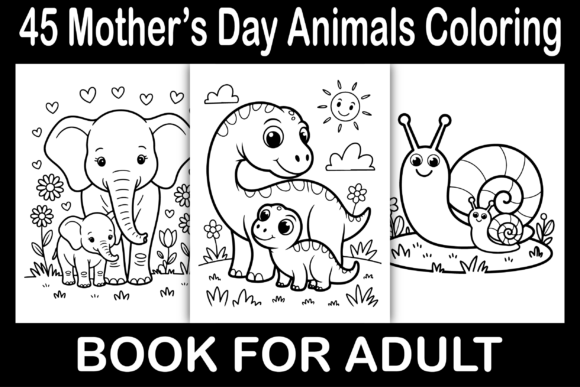
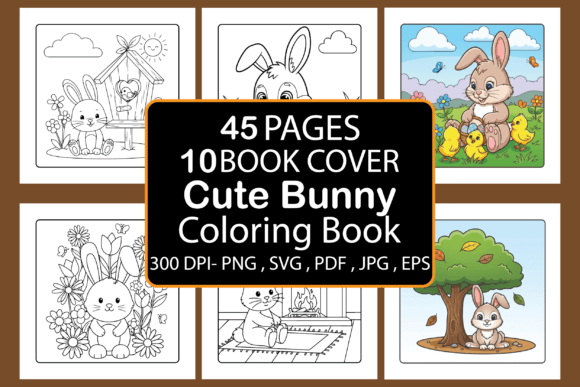
Before we get into common pitfalls, it helps to know exactly what you’re working with. This is a digital printable set containing 45 unique bunny coloring pages. The interior format is 8.5 x 8.5 inches with bleed, printed in black and white. You get one final PDF ready to upload directly to Amazon KDP or print at home, plus individual JPG, PNG, EPS, and SVG files. There are also 10 book cover backgrounds included. This combination of raster and vector formats makes the book flexible for both personal use and commercial products like low-content books, POD merchandise, or even custom cover designs. The bunny theme is cute and approachable, which appeals to adults who enjoy gentle, stress-relieving art without intense complexity.
Common Mistakes People Make with Digital Coloring Books
Even with a well-prepared file, small missteps can ruin the experience. Here are the most frequent issues I’ve seen—and how to avoid them.
Ignoring Bleed and Trim Settings
The interior detail says “8.5 x 8.5 inches with bleed.” If you’re uploading to Amazon KDP or another printer, bleed means the artwork extends slightly beyond the trim line. Many first-timers skip the bleed and simply print the file as-is, resulting in white edges or cropped content. The solution: keep the bleed area intact. When you upload the PDF to KDP, ensure you select “bleed” in your book setup and do not trim the file manually. For home printing, use “Fit to Page” if your printer adds margins, but for professional results, stick with the given dimensions.
Underestimating the Power of a Good Cover
The phrase “You’ve to create a great cover to start the selling machine” is not an exaggeration. Too many sellers use the cover backgrounds provided as-is without customizing them. While the 10 backgrounds are a nice starting point, a compelling cover needs a clear title, a cute bunny image, and a cohesive color scheme. If you leave the cover plain or generic, customers will scroll past. Instead, take one of the background files, add your title in a readable font, and match the vibe of your interior—soft pastels or warm tones work well. You can use the SVG or EPS files to edit vector elements for a crisp, professional look.
Using the Wrong File Format for Your Project
The download includes PDF, JPG, PNG, EPS, and SVG. Each format has a purpose. Some people only open the PDF and assume that’s all they need. That works for direct printing, but if you ever want to resize a page, change colors, or use a single bunny on a sticker, T-shirt, or social media graphic, the JPG or PNG will lose quality when scaled up. That’s where the vector files (EPS and SVG) become invaluable. They allow infinite scaling without pixelation. For KDP interiors, use the PDF. For cover design, use EPS or SVG. For quick digital coloring on a tablet, use PNG with transparent backgrounds. Avoiding this mistake saves you from re-purchasing or re-downloading later.
Assuming It’s Only for Kids
Many adults hesitate to buy a “cute bunny” book, thinking it’s too childish. But the 45-page collection features designs that range from simple to moderately detailed—perfect for adult relaxation. Dismissing it because of the theme means missing out on a genuinely enjoyable stress relief tool. If you sell this on KDP, don’t limit your keyword tags to “kids” only. Include terms like “adult relaxation,” “stress relief,” “bunny art,” and “cute animal coloring for grown-ups.” This book works equally well for both age groups when marketed correctly.
What to Check Before You Buy or Use
Before you download or purchase, take a moment to verify a few essentials. These checks will save you time, money, and frustration.
File Dimensions and Bleed
Confirm the interior is indeed 8.5 x 8.5 inches with bleed (the bleed adds 0.125 inches per side). If you plan to print at home, standard letter paper (8.5 x 11) will leave a 1.5-inch extra margin at the bottom. Either trim the page or adjust print settings. For KDP, square books are popular and fit well with the bunny theme, so the size is a good choice.
Color and Content
The book is black and white line art, which is standard for coloring books. No grayscale or pre-colored pages. Make sure the designs are single-sided if you plan to use markers—most digital PDFs are set up single-sided, but double-check. The 45 pages should be enough for a complete book without being too thin or too thick.
Format Versatility
Having JPG, PNG, EPS, and SVG is a strong sign of a well-prepared product. If a listing only offers PDF, you lose editing flexibility. Ask yourself: Will I need to modify images? Do I want to make stickers? If yes, vector formats are essential. This set includes them, which is a plus.
Cover Options
The 10 book cover backgrounds are a nice bonus, but they are backgrounds, not complete covers. You need to add the title and possibly a bunny motif. If you lack design skills, use a free tool like Canva to overlay text. The vector files can also be opened in Illustrator or Inkscape for more control.
Practical Examples of Better Approaches
Let’s say you’re a small business owner wanting to sell this coloring book on Amazon KDP. A common mistake is rushing to upload the PDF without testing it. Instead, print one page at home first to check bleed and line thickness. If the bunnies have fine lines, they’ll print fine on a home printer but might be faint if you use a low-quality print-on-demand service. Ask for a proof copy from KDP before going live.
Another example: a blogger buys the book to create a series of calming morning posts. She uses the PNG files to isolate a single bunny, adds it to a pastel background, and writes five gentle prompts. That’s a smart use of the included formats. If she had only the PDF, she would need to manually crop screenshots, losing quality.
For educators, the SVG files can be imported into cutting machines (like Cricut or Silhouette) to make bunny-shaped classroom decorations or reward cards. The black-and-white line art works perfectly for crisp cuts.
How to Get the Best Results for Personal Use
If you’re buying this for your own relaxation, keep a few things in mind. Use quality paper—if you print at home, heavy cardstock or marker-friendly paper prevents bleed-through. The 8.5 x 8.5 size is great for a compact, travel-friendly book. Since the designs are cute and simple, they work well for quick 15-minute coloring sessions. Unplug your phone, pick your favorite medium (colored pencils, gel pens, markers), and focus on the process, not perfection. The bunnies are forgiving—mistakes blend into charm.
What to Avoid When Selling This Product
If you are an entrepreneur, avoid these three traps:
- Not customizing the cover. The included backgrounds are generic. A unique cover with your own title and bunny illustration (use the SVG) will set your book apart from dozens of other bunny books.
- Uploading without checking margins. KDP’s preview tool is free—use it. Flip through every page to ensure nothing is cut off. The black-and-white interior should have consistent white space.
- Using only one file format. For the interior, use the PDF. But for promotional images, use the PNG files to create mockups showing a colored page. Those mockups can be used in A+ content on Amazon or in social posts.
Final Thoughts on Getting the Most Value
A digital printable like this Cute Bunny Coloring Book can be a simple pleasure or a small business asset, depending on how you approach it. The details—bleed, file formats, cover design, and audience targeting—determine whether it becomes a disappointment or a reliable tool. Check the file specifications before use. Test your uploads. Spend a little extra time on the cover. And don’t forget that the vector files give you freedom to adapt the artwork for other projects. Whether you are coloring for calm or selling for profit, a thoughtful approach turns a 45-page PDF into something genuinely worthwhile.
And if you ever run into a problem, remember that the included JPG, PNG, EPS, and SVG files are your safety net. Most printing or scaling issues can be solved by switching to the vector version. Take advantage of those files and you’ll avoid the biggest headaches that come with ready-made digital products.